White Noise & Focus Sounds — build your own background mix right in the browser
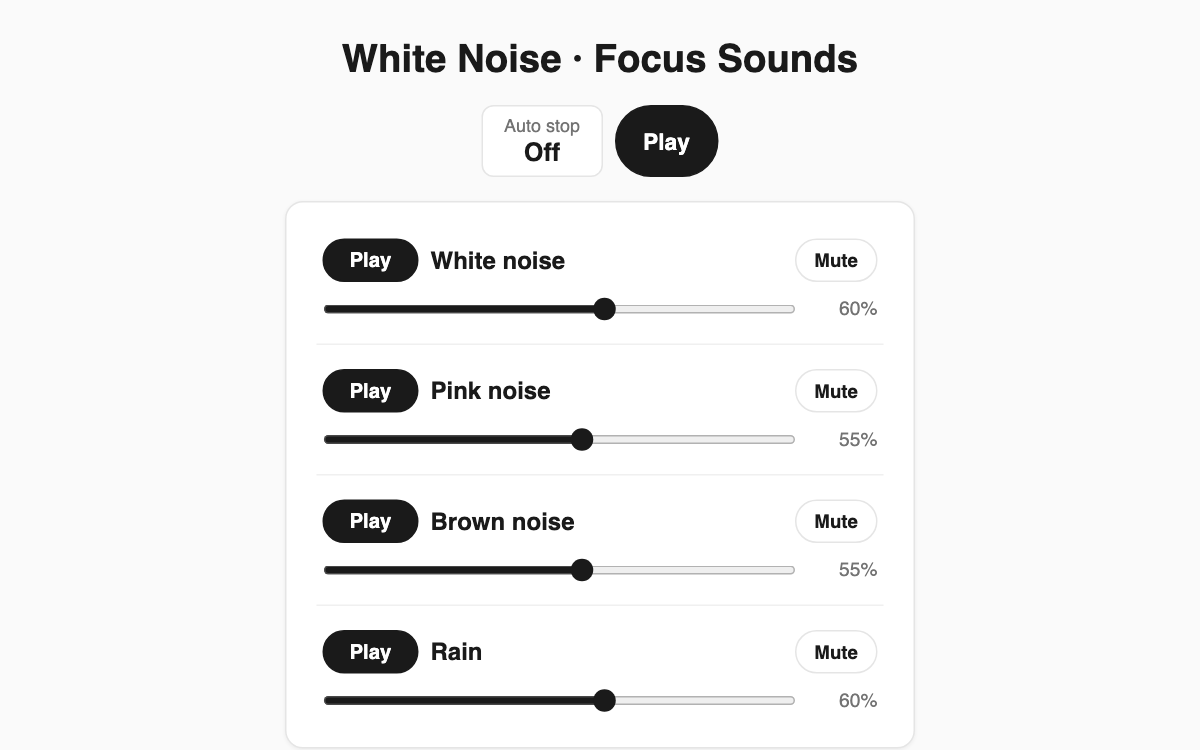
This is a sound mixer that blends white, pink, and brown noise together with rain so you can concentrate while studying or working, or drift off to sleep. Every sound is synthesized directly in your browser rather than streamed from audio files, so playback keeps going even offline. It is especially handy for masking distracting noise around you, like chatter in a shared space.
How to use
- Press the play button on any of the four channels: white noise, pink noise, brown noise, or rain.
- Adjust each channel's volume with its slider, and mute individual channels to balance the blend.
- Use the master play/pause button at the top to start or stop everything at once.
- Open the sleep timer settings and pick 15, 30, 45, 60 minutes, or enter a custom duration.
Features & tips
- Turn on several channels at once to create your own mix. Brown noise is bass-heavy and great for masking low rumble.
- Each channel has independent volume and mute, so you can push rain up while keeping white noise subtle.
- The sleep timer is based on a target end time, so it stays accurate even with the screen off, and the sound fades out gently when it ends.
FAQ
Q. Do I need to download any audio files? A. No. Every sound is generated live in the browser, so there are no files to download and nothing to store.
Q. Will it keep playing all night if I fall asleep? A. Set the sleep timer and it fades out and stops after the time you chose, making it safe to use as a bedtime sound.
Q. I hear no sound. A. Browsers require a user tap first, so press play to start audio. If your browser is unsupported, a notice will appear.