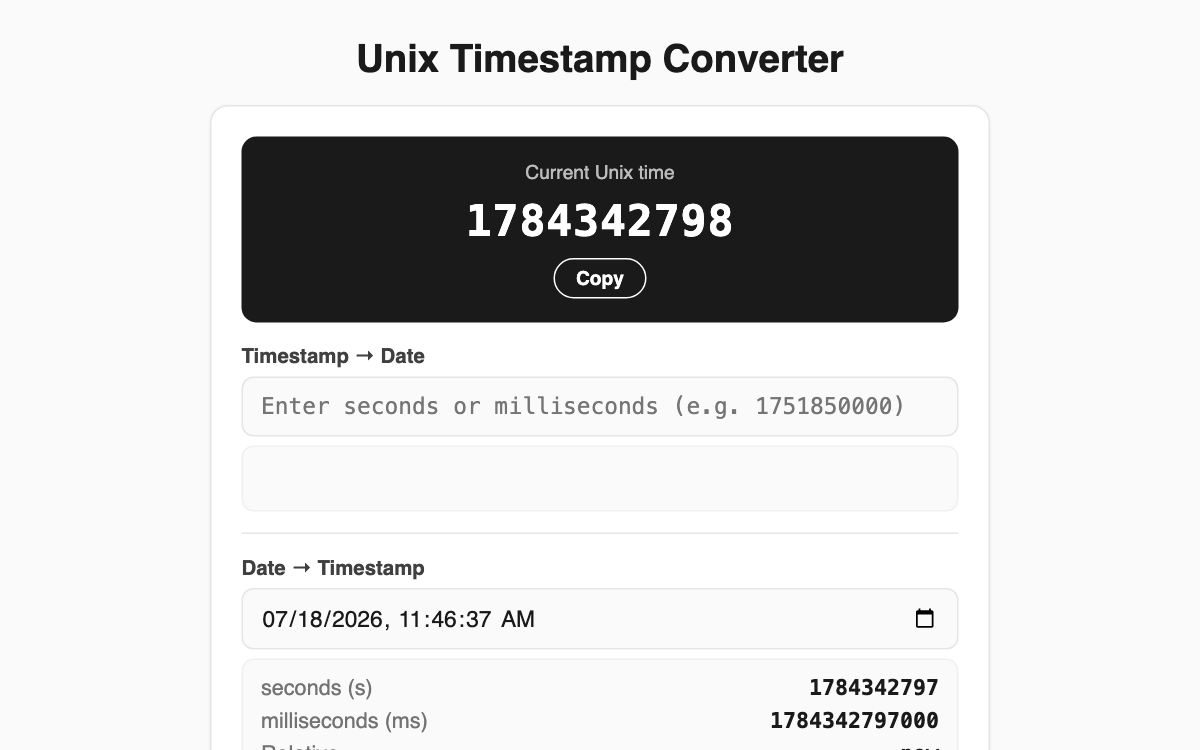
Unix Timestamp Converter — flip between epoch and human dates instantly, right in your browser
This tool turns the Unix timestamps (epoch values) you run into while reading logs or debugging API responses into readable dates, and back again. It is handy for backend developers, data analysts, and QA engineers who deal with time values often, and every calculation happens locally in your browser with no server involved.
How to use
- Watch the current Unix time tick every second in the black card at the top, and grab it with the copy button when you need it.
- Paste a number into the "Timestamp to Date" box to see local time, UTC, relative time, and ISO 8601 together.
- Adjust the date and time picker in the "Date to Timestamp" box to instantly get the seconds and milliseconds values.
Features & tips
- It auto-detects whether your input is in seconds or milliseconds based on digit count (13 or more digits is treated as milliseconds).
- Results include a relative phrase such as "3 days ago", localized to your language.
- The date field defaults to the current moment, so you can start experimenting right away.
FAQ
Q. How does it tell seconds from milliseconds? A. It judges by the number of digits. Values with 13 or more digits are read as milliseconds, and the output labels which unit it assumed.
Q. Are my inputs sent anywhere? A. No. Every conversion runs entirely inside your browser, so nothing leaves your device.