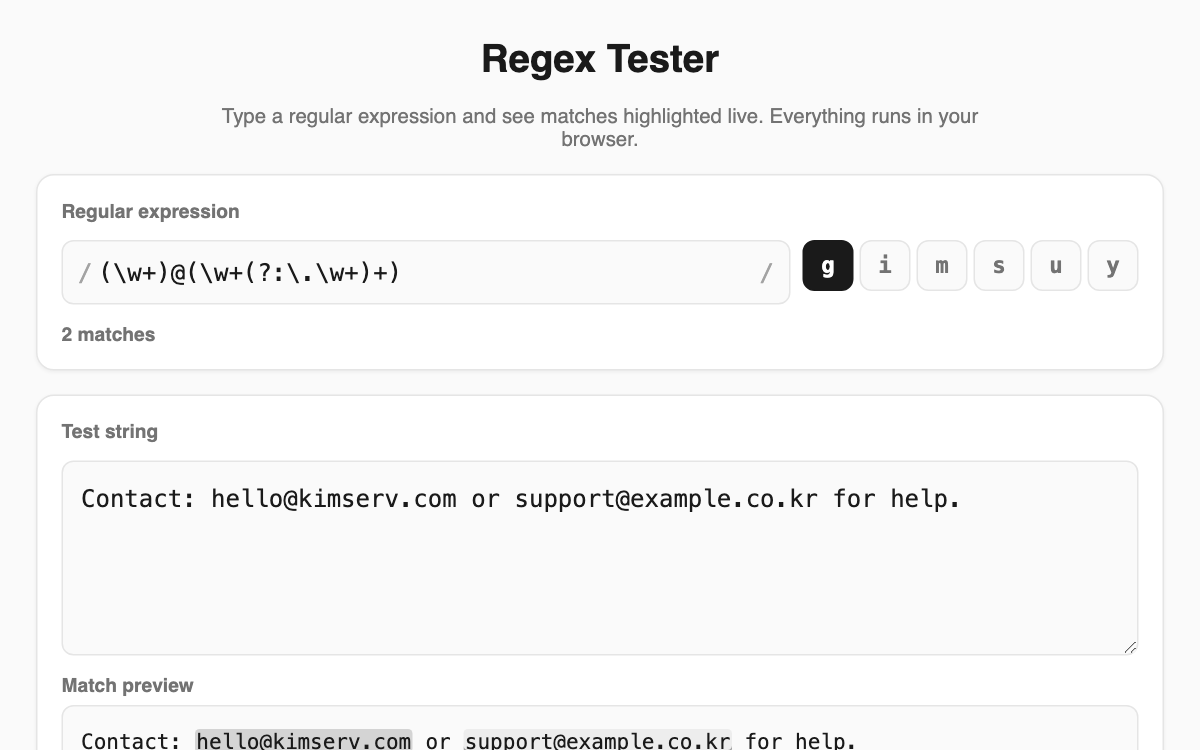
Regex Tester — see your matches light up the moment you type a pattern
Type a regular expression and it highlights matching parts of your test string in real time. It helps developers, data cleaners, and anyone digging through logs confirm that an expression behaves as intended before wiring it into code. Nothing you type is sent to a server; everything runs inside your browser.
How to use
- Enter your regular expression in the field between the two slashes.
- Toggle the g, i, m, s, u, and y flag buttons to shape how matching works.
- Paste the text you want to search into the box below and watch matches highlight instantly.
- Review each match's position and capture groups, then switch on replace mode if you need it.
Features & tips
- An invalid pattern is reported immediately with a clear error message.
- Every match shows its start position plus numbered and named capture groups.
- In replace mode you can use $1 and $<name> to preview the result and copy it.
- A built-in cheat sheet of common patterns is handy when a symbol slips your mind.
FAQ
Q. Is my test text sent anywhere? A. No. All processing happens locally in your browser and nothing leaves your device.
Q. What happens if I turn off the global flag? A. Without the g flag, only the first match is found and shown.
Q. Does it handle named groups? A. Yes, it lists both numbered and named capture groups for each match.