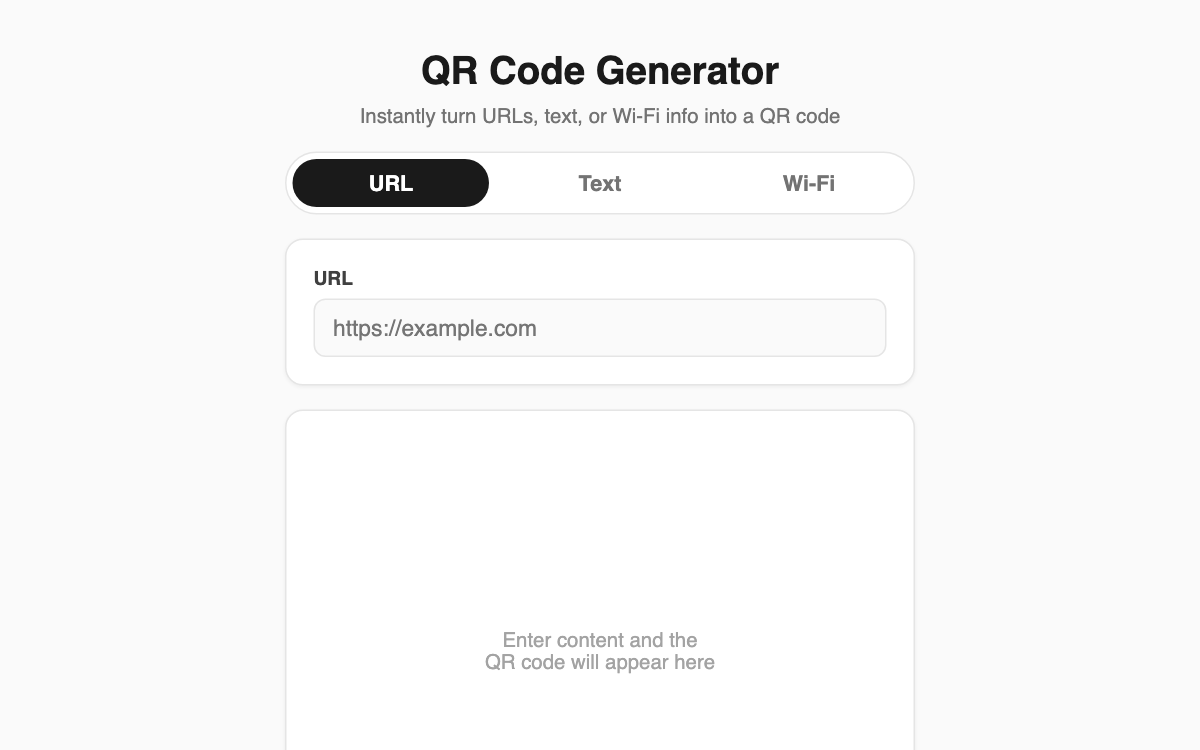
QR Code Generator — turn a link, note, or Wi-Fi into a scannable code as you type
This web tool converts a URL, plain text, or Wi-Fi login details into a QR code the instant you enter them. It is handy for anyone putting a link on a business card or poster, and for shop owners tired of reading out their Wi-Fi password to every guest. No install, no sign-up — it runs right in your browser.
How to use
- Pick a tab at the top: URL, Text, or Wi-Fi.
- Type your content. For Wi-Fi, enter the network name (SSID), security type, and password.
- The QR code refreshes automatically as you type.
- Press "Download PNG" to save the image.
Features & tips
- Three input modes — URL, Text, and Wi-Fi — switchable by tab.
- The Wi-Fi mode assembles SSID, WPA/WEP/open security, and a hidden-network flag into the standard format automatically.
- Everything runs inside your browser; your input is never sent to a server.
- It implements the international standard (ISO/IEC 18004) directly, so real phone cameras scan it right away.
FAQ
Q. Does the QR code expire over time? A. No. Your content is embedded straight into the image, so there is no expiry or time limit.
Q. Is it safe to enter a password? A. Yes. Input is processed only in your browser and never transmitted, so entering a Wi-Fi password is safe.
Q. What happens if my text is too long? A. If it exceeds the supported limit, an error message shows you the maximum capacity.