Ghost Leg (Ladder) — settle any luck-of-the-draw fairly and fun
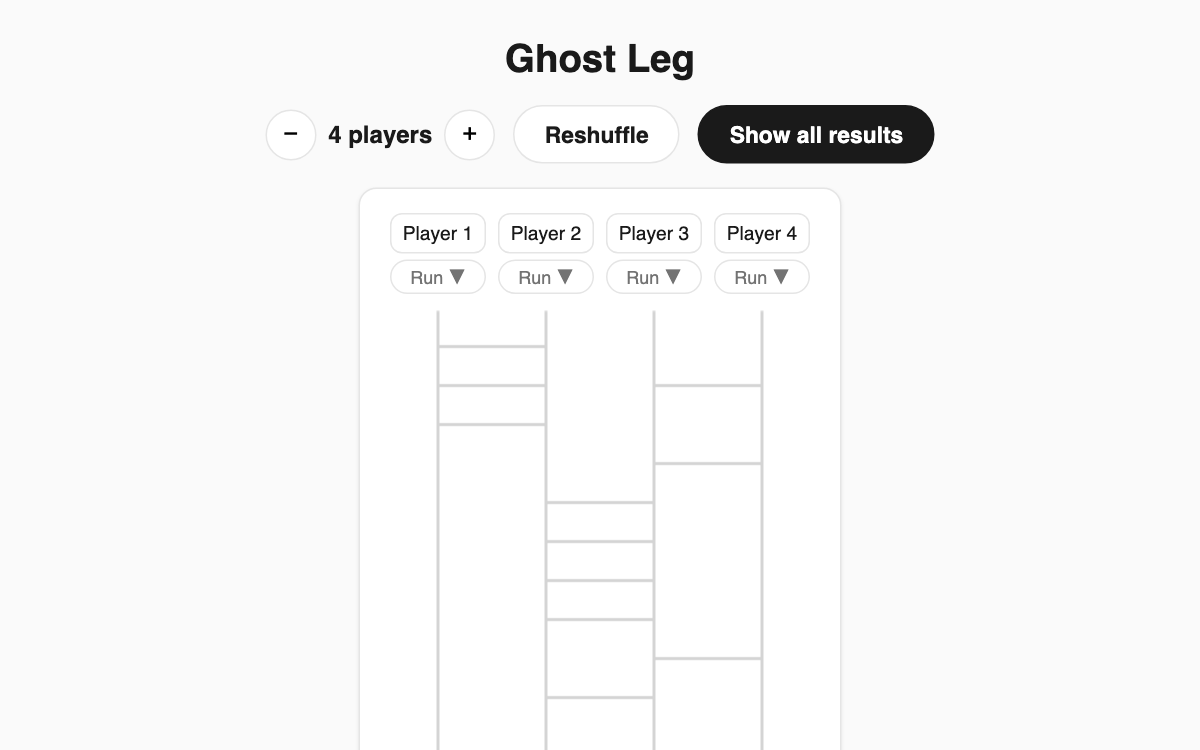
Deciding who buys lunch, who cleans up, or who presents first can get awkward. This ghost leg game solves it in a few clicks: enter the players and the outcomes, and a randomly generated ladder traces each path. It is perfect for friends, coworkers, or family who want a decision no one can argue with.
How to use
- Use the − / + buttons to set the number of players from 2 to 8.
- Type player names in the top row and outcomes (win/lose, menu items, etc.) in the bottom row.
- Press the "Run ▼" button under a player to draw their path with an animation.
- Press "Show all results" to reveal every player's outcome at once.
Features & tips
- Use "Reshuffle" to regenerate the ladder so no one can preview the result.
- Name and outcome fields are editable anytime.
- By default one slot is "Win" and the rest are "Lose", so it is ready for a quick draw.
- The path animates down the ladder, keeping the suspense until it lands.
FAQ
Q. How many players are supported? A. Anywhere from 2 to 8. Adjust with the − / + buttons.
Q. Can players peek at the result early? A. The ladder is random and can be regenerated with "Reshuffle", so it stays hard to guess.
Q. Do I need to install anything? A. No. It runs right in your browser with no install or login.