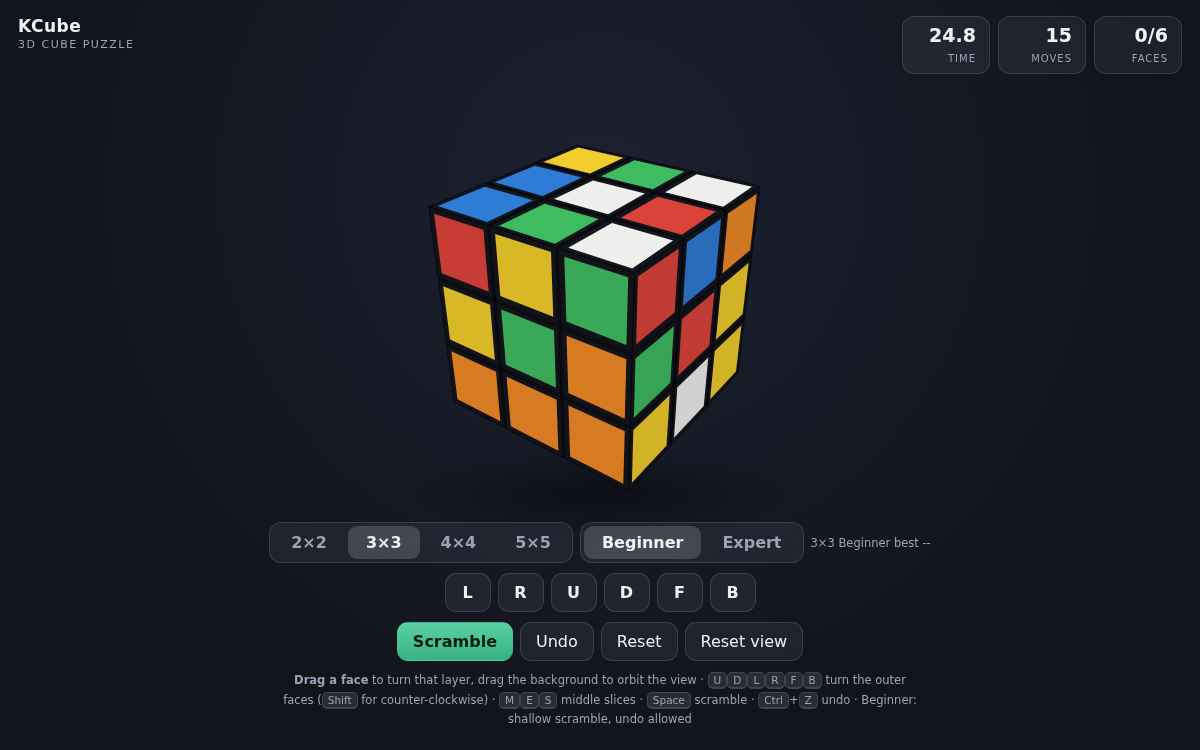
KCube — a 3D Rubik's Cube that turns right in your browser
Just like turning a real cube in your hands, you grab a face and the layer follows your drag. It's a twisty puzzle — pick 2×2, 3×3, 4×4 or 5×5 — that starts the moment you open the link — no install, no sign-up. Your time and move count are tracked so you can chase your own record. Mouse and keyboard on desktop, finger drags on mobile.
How to play
- Press Scramble to shuffle the cube.
- Drag a face and the layer containing the square you grabbed turns the way you pull. Middle layers work the same way.
- Drag the background to rotate your view without touching the cube — handy for checking the back.
- Match all six faces and your time and move count appear.
Cube size — 2×2 to 5×5
Pick a size with the 2×2 / 3×3 / 4×4 / 5×5 buttons below. Changing it rebuilds the puzzle and deals a fresh scramble.
- 2×2 is corners only and the quickest to finish; 3×3 is the familiar standard cube.
- 4×4 and 5×5 add inner layers and are considerably harder. Scramble depth grows with the size.
- Even cubes (2×2, 4×4) have no middle layer, so M/E/S only apply to the odd sizes.
Difficulty — Beginner and Expert
Switch any time with the Beginner / Expert buttons below; changing it starts a fresh solve at that difficulty.
- Beginner — a shallow scramble with undo available. It also shows how many faces you have finished as 0/6, so while you are learning you can see progress instead of guessing.
- Expert — a deep scramble with undo disabled. You have to get it right without taking anything back.
- Best times are kept separately per size and per mode, so records never mix, and the size and difficulty you picked are still there next time you open it.
Keyboard controls (cube notation)
- U, D, L, R, F and B turn the up, down, left, right, front and back faces clockwise.
- Hold Shift for counter-clockwise, and use M, E and S for the middle layers.
- Space scrambles, Ctrl (Cmd on Mac) + Z undoes a move, and the arrow keys rotate the view.
Features & tips
- Layers follow your drag from any viewing angle, so turning the cube around never inverts the controls.
- The timer starts on your first move after a scramble — study the cube as long as you like before you begin.
- In Beginner mode undone moves are subtracted from the move count, so backing up a step to think costs you nothing.
- The colors follow the standard scheme (white↔yellow, green↔blue, red↔orange), so any algorithms you know apply directly.
- New to cubing? Build it layer by layer: white cross, white face, middle row, then the yellow face.
FAQ
Q. Do I need to install anything? A. No. Open the link and it runs in your browser.
Q. Does it work on a phone? A. Yes. The cube resizes to your screen and dragging works with touch.
Q. Can I turn the middle layers? A. On odd cubes (3×3, 5×5) — drag a middle row, or use the M, E and S keys. Even cubes have no middle layer at all.
Q. What happens when I switch size or difficulty? A. A fresh solve starts with that setting right away. Records are kept per size and per mode, so they never mix.
Q. Is there a solver? A. No. It's a game you solve yourself, so only reset and (in Beginner mode) undo are provided.
Q. Are my records saved? A. Time and moves are shown when you finish, and each game is measured fresh.