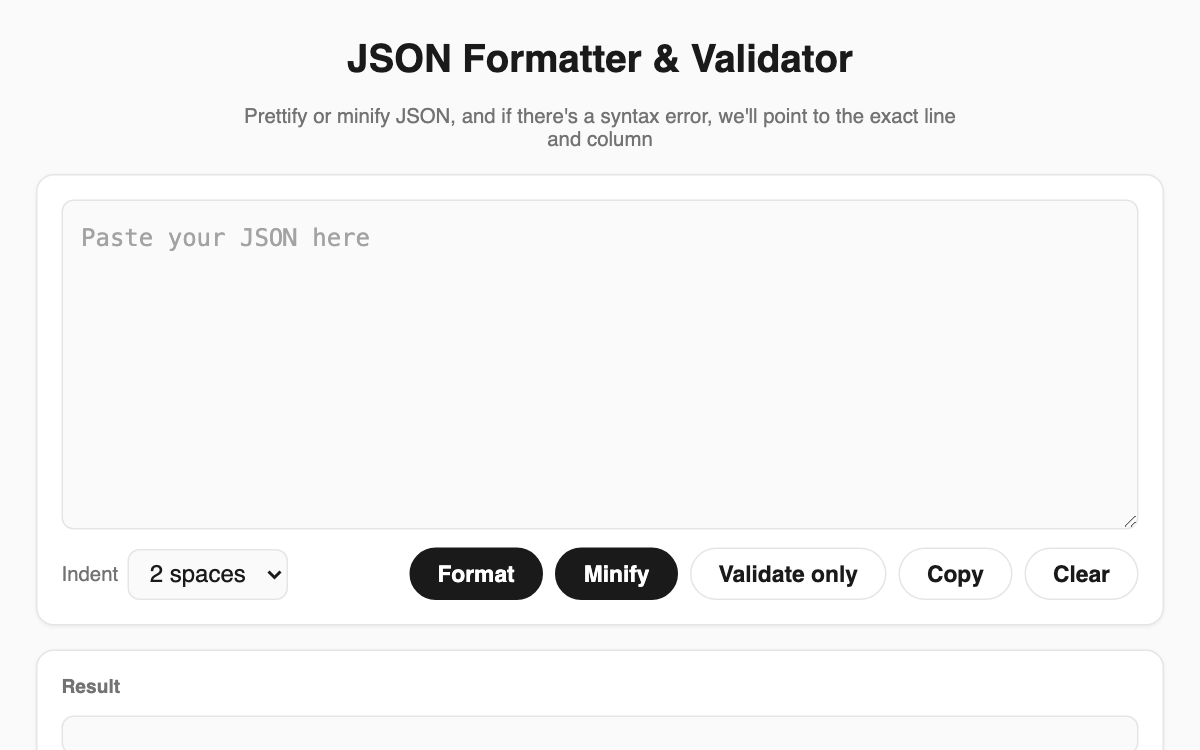
JSON Formatter & Validator — tidy JSON in your browser without losing the original notation
Paste JSON copied from an API response or a config file, and this tool pretty-prints it, minifies it to a single line, or simply checks it, pointing to the exact line and column when the syntax is wrong. Everything runs inside your browser rather than on a server, so it is a safe helper for developers, QA engineers, and anyone working with APIs.
How to use
- Paste your JSON into the input box at the top.
- Choose an indent: 2 spaces, 4 spaces, or a tab.
- Press Format, Minify, or Validate only.
- Grab the text from the result area with the Copy button.
Features & tips
- Format applies your chosen indent, while Minify strips all whitespace into one line.
- A custom parser keeps large integer IDs precise and preserves the original key order.
- On an error it tells you the line, the column, and what went wrong in plain language.
- Below the result you see total characters, the top-level type, and the item count.
FAQ
Q. Is my pasted JSON sent to a server? A. No. All processing happens in your browser, so your data never leaves the page.
Q. Will a big numeric ID get rewritten? A. The tool preserves the original notation, so long integers keep their full precision.
Q. Does Validate only change the formatting? A. No. Validate only checks validity and leaves your original layout untouched.