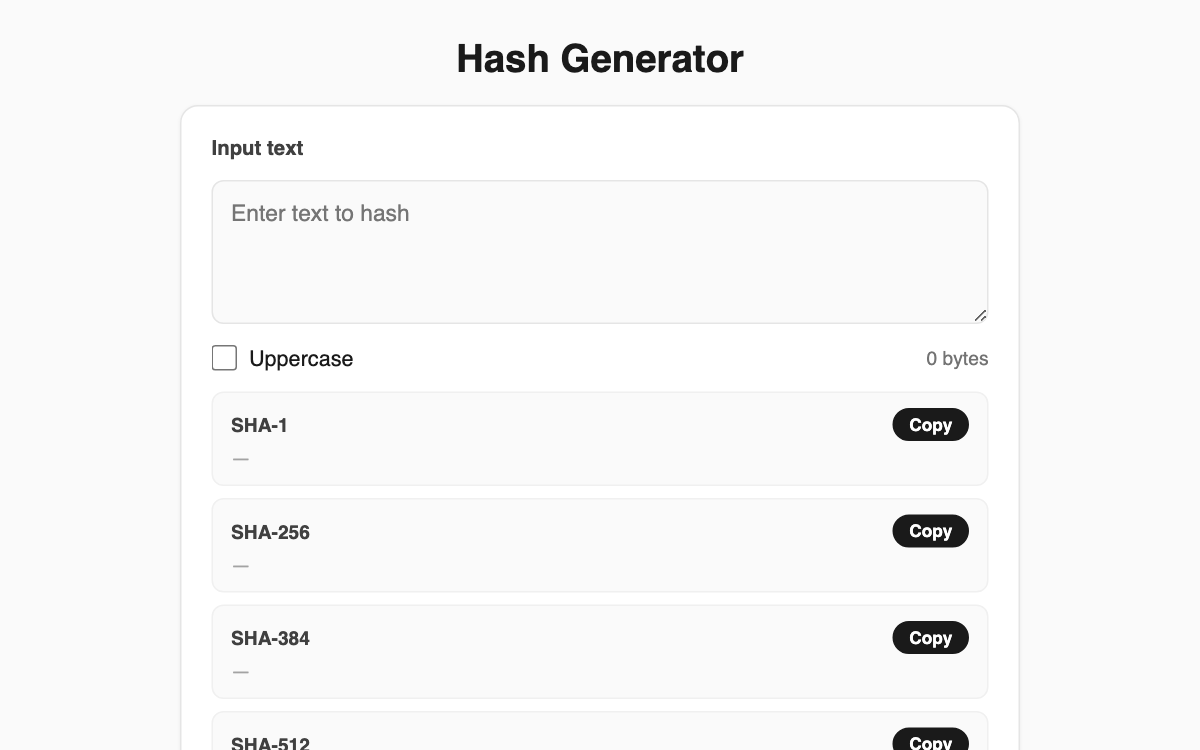
Hash Generator — turn any text into four SHA hashes at once
Type or paste text and this tool computes its SHA-1, SHA-256, SHA-384, and SHA-512 digests simultaneously. Because everything runs through the browser's built-in Web Crypto (SubtleCrypto), your input never leaves your device — handy for comparing file checksums or studying how hashing behaves during development.
How to use
- Paste or type the text you want to hash into the input box.
- All four algorithm results update in real time as you type.
- Click the copy button on any row to send that digest to your clipboard.
- Toggle the Uppercase checkbox if you need the hex output in capital letters.
Features & tips
- Compare SHA-1/256/384/512 side by side on a single screen.
- The byte count of your input is shown, which helps confirm encoding.
- Each algorithm has its own copy button, so you grab only the value you need.
- Great for lining up values when verifying checksums or file integrity.
FAQ
Q. Is my input sent anywhere? A. No. All hashing happens locally in your browser, and no data is transmitted to any server.
Q. Can I use SHA here to store passwords? A. It is not recommended. This tool is for checksums and learning; passwords need a dedicated algorithm like bcrypt.
Q. Does the Uppercase option change the actual hash? A. Only the display. It shows the same hex value in capitals; the underlying digest is identical.