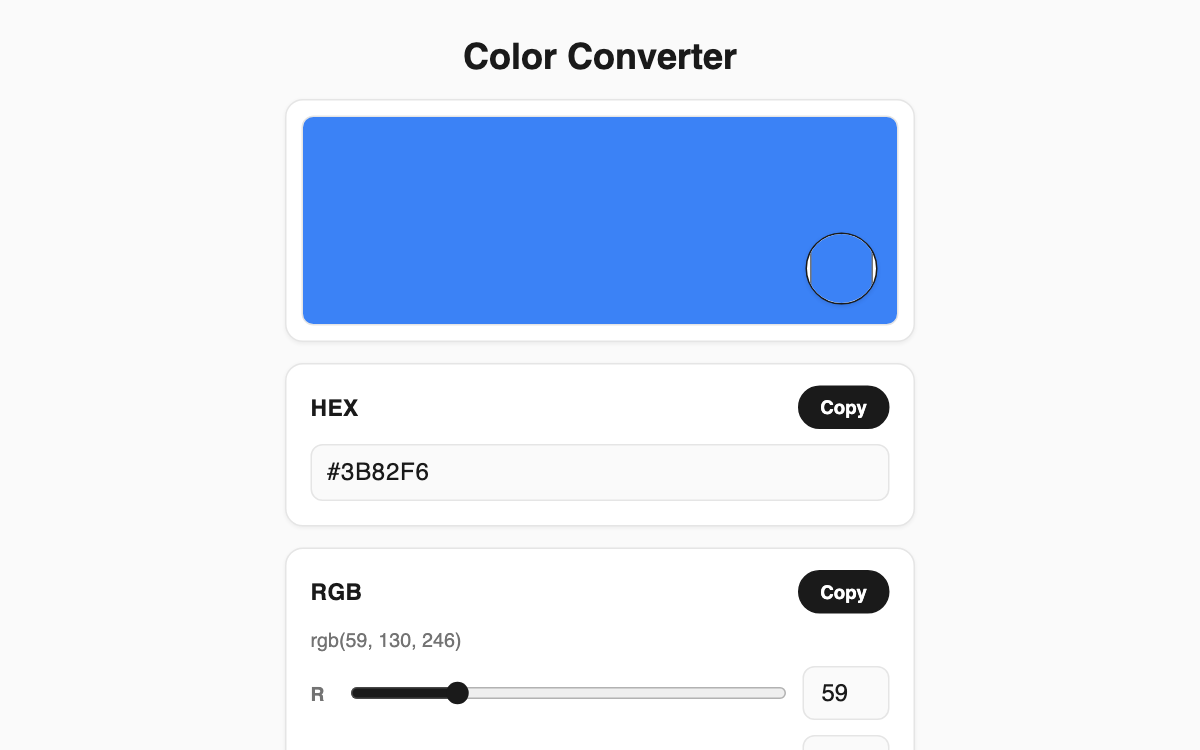
Color Converter — swap between HEX, RGB, and HSL in real time
A focused converter for anyone juggling color codes during design or web work. It keeps HEX, RGB, and HSL fully in sync in real time, so changing any one value instantly updates the others. It is handy for designers, front-end developers, and bloggers who want to pick a color and build a matching palette on a single screen.
How to use
- Tap the color picker on the preview card to choose a shade, or type a code straight into the HEX field.
- Fine-tune with the RGB (R, G, B) or HSL (H, S, L) sliders, or enter exact numbers in the boxes.
- Press the Copy button beside any format to send its HEX, RGB, or HSL value to your clipboard.
- Click any swatch in the harmony palette to load that color as your current selection.
Features & tips
- The HEX field accepts both 3-digit (#abc) and 6-digit codes and only updates once the entry is valid.
- Harmony palettes are generated automatically: one complementary, two analogous, two triadic, and five tone variations.
- The app remembers the last hue on grayscale or pure black/white, so sliders never jump unexpectedly.
- Click a palette swatch first, then hit Copy to grab any harmony color quickly.
FAQ
Q. Do I need to install anything or sign up? A. No. It runs free in your browser, and every calculation happens locally on your device.
Q. How are the harmony palettes built? A. They rotate the current hue by fixed angles for complementary, analogous, and triadic colors, and vary only lightness for the tones.
Q. Does it work on mobile? A. Yes. The layout adapts to narrow screens and uses large sliders for comfortable touch control.