Click Speed Test — a quick game that measures your CPS against the clock
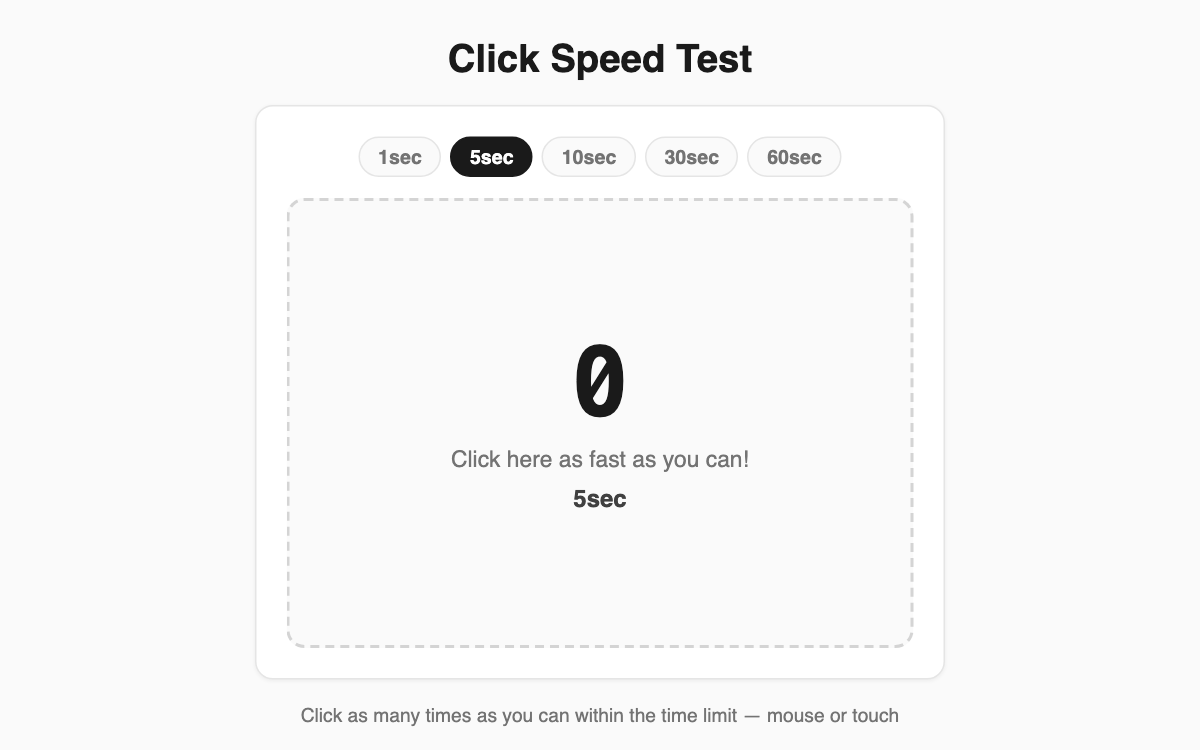
This simple game measures how fast you can click with a mouse or tap with a finger, reported as clicks per second (CPS). It's great for gamers checking their spam-click ability, for testing whether a mouse responds cleanly, or just for a quick burst of fun. It runs right in the browser on both desktop and mobile.
How to use
- Pick a test length from 1, 5, 10, 30, or 60 seconds.
- Your first tap on the click area starts the timer.
- Keep clicking as fast as you can until time runs out.
- When it ends, your CPS score, rating, and total clicks appear.
- Hit "Try again" to make another attempt instantly.
Features & tips
- The first click starts the clock, so be ready to hammer the moment you press.
- Ratings scale with CPS across five tiers, from tortoise to superhuman (above 7 is genuinely fast).
- Short runs (1 and 5s) test burst speed; longer runs (30 and 60s) test stamina.
- Full mouse and touch support means it measures the same way on a phone.
FAQ
Q. How is CPS calculated? A. It's total clicks divided by the number of seconds. For example, 30 clicks in 5 seconds equals 6 CPS.
Q. What counts as a fast score? A. Around 5 to 7 CPS is typical; above 7 is fast, and 10 or more reaches the top tier.
Q. Are my results saved? A. No, there's no saving. Each attempt is measured fresh.